> For the complete documentation index, see [llms.txt](https://docs.entangle.fi/llms.txt). Markdown versions of documentation pages are available by appending `.md` to page URLs; this page is available as [Markdown](https://docs.entangle.fi/entangle-interoperable-blockchain/developer-guides/delegating-to-validators.md).
# Delegating to Validators
This page provides step-by-step instructions on how to delegate tokens to your validators. This is a simple and quick process with our intuitive user interface, see below for more information.
{% stepper %}
{% step %}
### Step 1
Navigate to the [**Entangle Hub**](https://hub.entangle.fi/) and click the ‘Connect Wallet’ button. Approve connecting to the platform and adding Entangle Mainnet to your wallet.
{% endstep %}
{% step %}
### Step 2
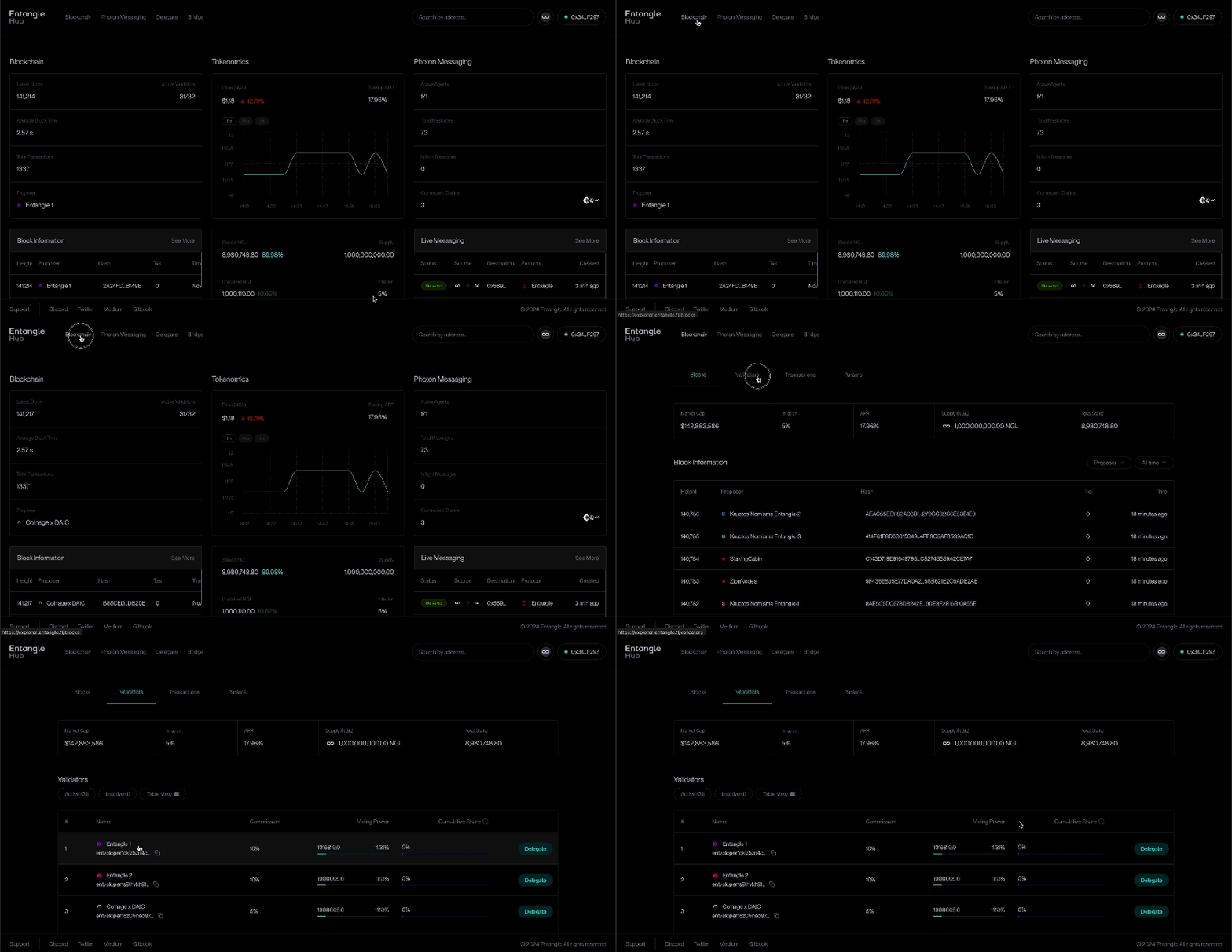
Click ‘Blockchain’ in the header menu and Blockchain section will open. Here, select the ‘Validators’ tab.
{% endstep %}
{% step %}
### Step 3
Select any validator you want to delegate your tokens to and click ‘Delegate’ button next to it. This will open the ‘Delegate’ window.
{% endstep %}
{% step %}
### Step 4
Enter the amount of tokens manually or simply use the ‘Max’ button. Please remember that you will need some native tokens for the gas fee.
{% endstep %}
{% step %}
### Step 5
Click ‘Delegate’ and sign all transactions. Your delegated tokens take 21 days to unlock, starting from the transaction time.
{% endstep %}
{% step %}
### Step 6
Great! You have successfully delegated your tokens. They will be available in your wallet in 21 days. During this period, you will continue to accrue yield. You can manage and track your delegation on the [**Dashboard**](https://hub.entangle.fi/msg/delegate).
{% endstep %}
{% endstepper %}